In 14 years of wrestling with WordPress, most of the projects I watched fail did not die from a PHP Fatal Error. They died of design drift. Design gets treated as a pile of aesthetic choices, when design principles for products are closer to architectural blueprints. They are what keeps technical debt from compounding, and what keeps an interface from becoming whatever each ticket felt like at the time.
Beyond rigid guidelines
Design principles get read as rules that dictate every pixel. In practice they are the cheapest way to get a team pointed at the same goal. Developers and designers argue less, and the argument happens before anyone writes CSS. They also hold a line against AI workslop and against the pressure to ship faster, which is where most broken layouts come from.
Without design principles for products, company initiatives start to look random. It works like voice and tone: define it on purpose, or your users will define it for you out of your own inconsistencies. From the outside, the product then reads as vague, or just dull.
Ten principles of good design, and one WooCommerce checkout
Years ago I had to refactor a WooCommerce checkout that had collected too many conflicting features. The client wanted one more upsell on top of it. I went back to Dieter Rams’ 10 principles of good design, which hold that good design is honest and that there should be as little of it as possible.
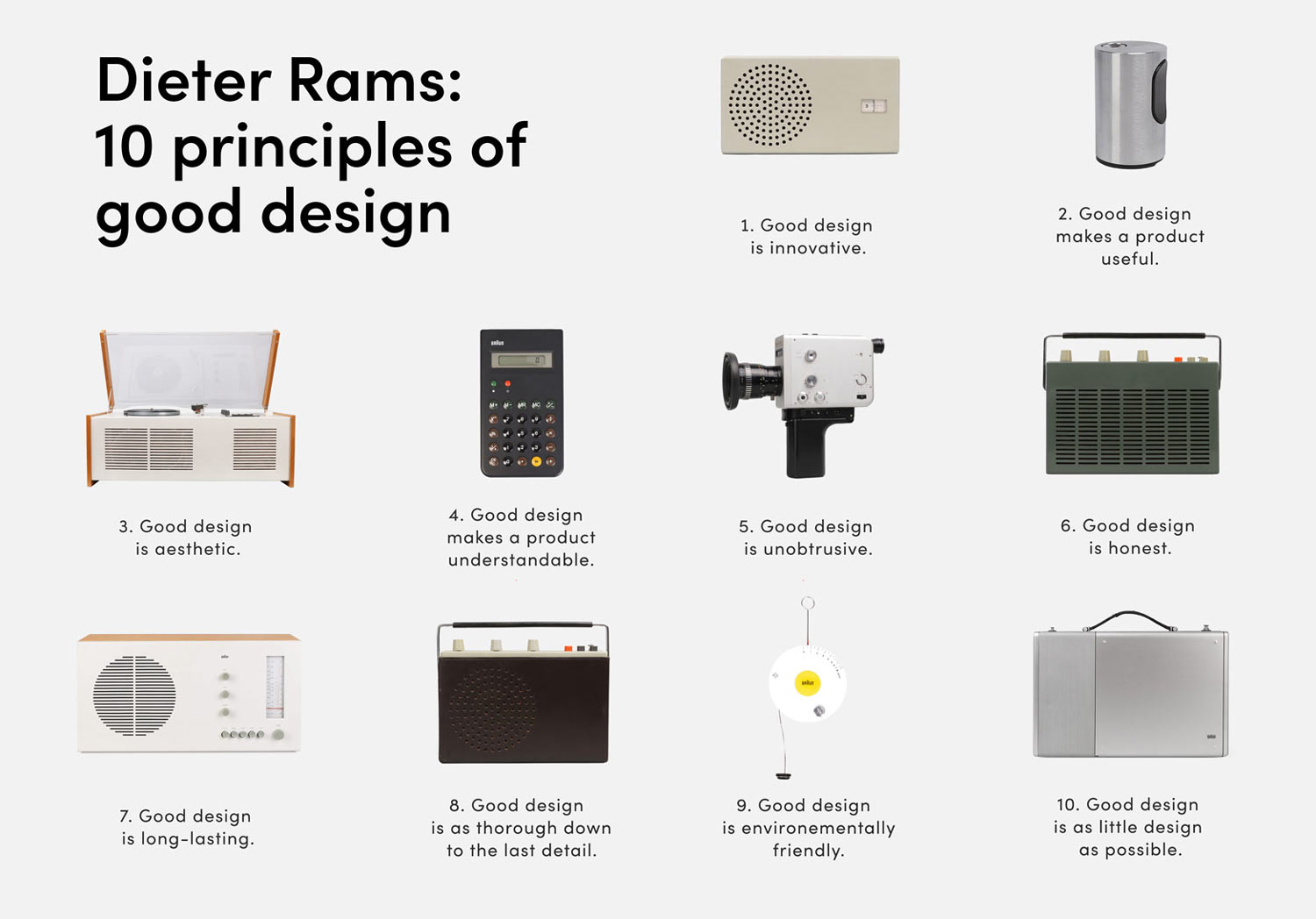
Measured against those principles, the extra upsell was neither humane nor unobtrusive, so we could say no with a reason instead of a preference. The conversion rate held and the codebase stayed readable. If you are stuck in the same argument, see why rigid pixel-perfect design is failing in modern workflows.
How to establish design principles for products
This does not have to be a fluffy exercise. It is closer to extracting values than to picking colors. I run a short workshop so everyone lands in the same place, from the person who owns the Nginx config to the React lead:
- Do the research first, and study how users actually talk about your product.
- Pick an analogy. Is the site a “Porsche 911” or a “Braun audio system”? That answer sets your engineering constraints.
- Have everyone write 3-5 principles alone before anyone speaks, which keeps groupthink out of it.
- Reality check the list against the current build, looking for examples that support it and examples that break it.
To keep the principles alive in the code, put them in CSS custom properties. Spacing, radius, and timing then live in one place instead of being re-decided in every stylesheet, which is where conflicting styles come from.
<style>
/* Enforcing 'Clarity' and 'Consistency' principles via CSS Variables */
:root {
    --bbioon-primary-spacing: 1.5rem;
    --bbioon-border-radius: 8px;
    --bbioon-transition-speed: 0.3s ease-in-out;
}

.c-product-card {
    padding: var(--bbioon-primary-spacing);
    border-radius: var(--bbioon-border-radius);
    transition: transform var(--bbioon-transition-speed);
}
</style>
Technical resources for better UX
On the standards side, the W3C Accessibility Principles and the MDN WCAG Guide are the two I keep open. They belong inside your design principles for products, not in a compliance checklist you visit at the end.
The same goes for the code underneath. Real WordPress plugin architecture beats another patch, and design stability tends to follow it.
If this design principles work is eating your dev hours, I can take it over. I have been building on WordPress since the 4.x days.
What it buys you
Most design arguments are really preference arguments, and a written principle ends them faster than another meeting. Tie the decisions to technical goals and to what the organization actually values, and the next feature request stops being a threat to the whole layout.


